
Gennio
A video editor you can talk to.
Personal project
- Interfaces
- Browser studio + CLI
- Speech recognition
- faster-whisper word timestamps
- Media processing
- FFmpeg filter graphs
- Artifacts
- Video, transcript, subtitles, cut list
FastAPI · Whisper · FFmpeg · Ollama
View repositoryThe idea
Suppose I ask my editor to cut two pauses and highlight each word as I say it. The cut changes the duration of the clip. If I put captions on the wrong version, every word after the first pause can light up late.
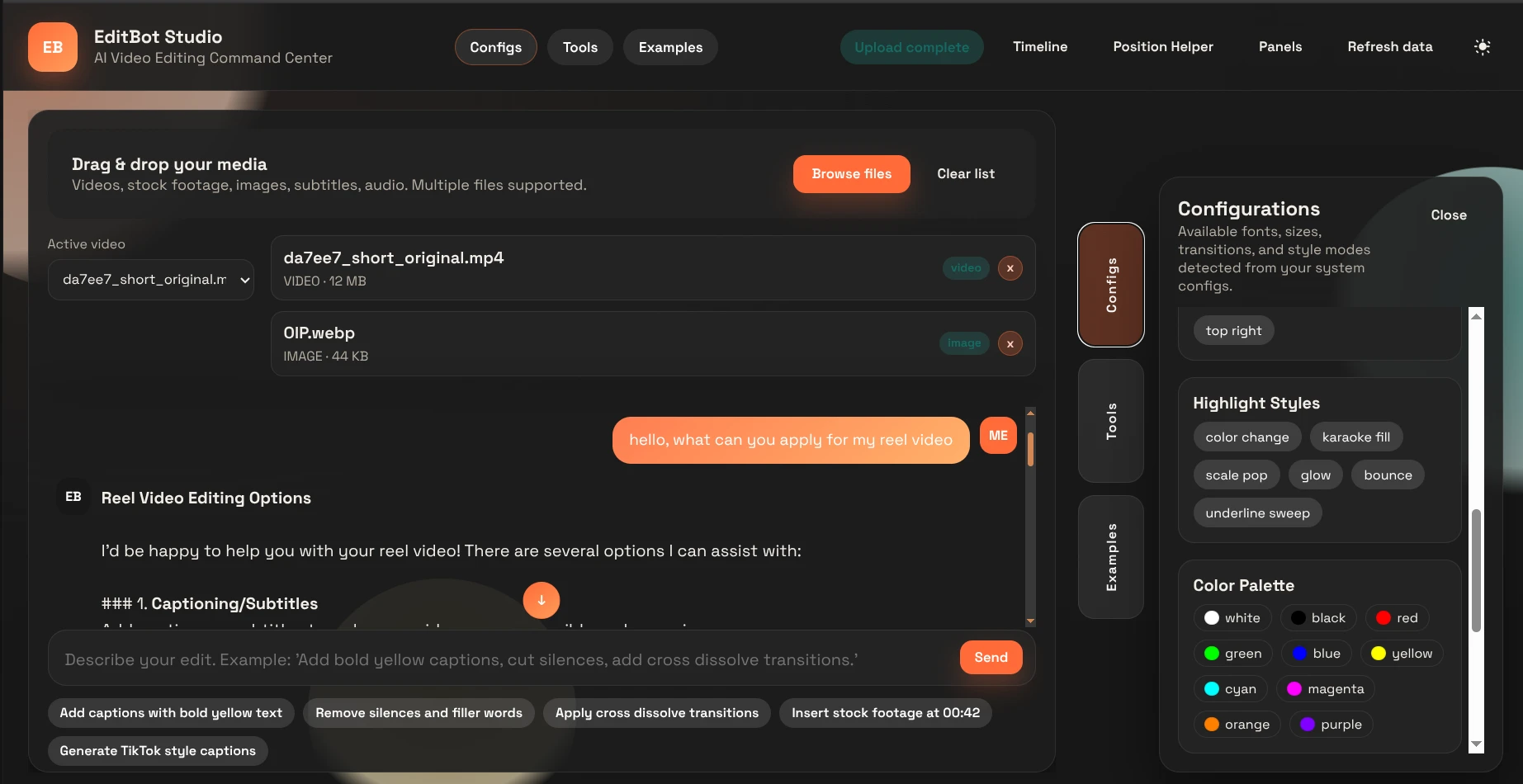
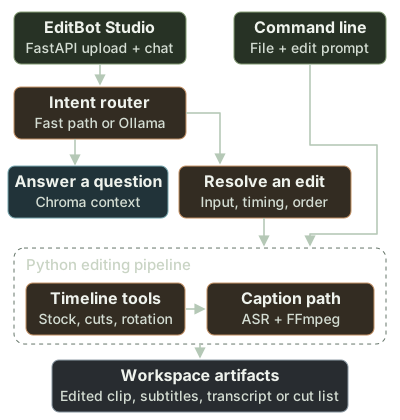
I built Gennio to let me describe that edit in chat and still inspect the decisions underneath it. EditBot Studio holds the uploads and the conversation. Python owns the timeline, transcription and render. I can also run the editing pipeline from the command line.
Inside the editing assistant
Which requests should touch the footage?
“What did I change?” and “Change the captions” mention the same file but ask for different work. I check recognizable intents first. For other requests, the head router uses the message and recent conversation to choose an answer, a clarification or an editing request.
The question-answering path can retrieve project context. On the editing path, the implementation classifier narrows the request to a supported action. The web handler resolves the active upload and checks for conflicting time instructions before handing the work to Python.
- An empty message gets a low-confidence question route.
- If the head model is unavailable, a local fallback classifier supplies an intent.
- If the timing is still ambiguous, Studio returns a question and possible choices. The media job can wait.
Why the first cut should never move the second
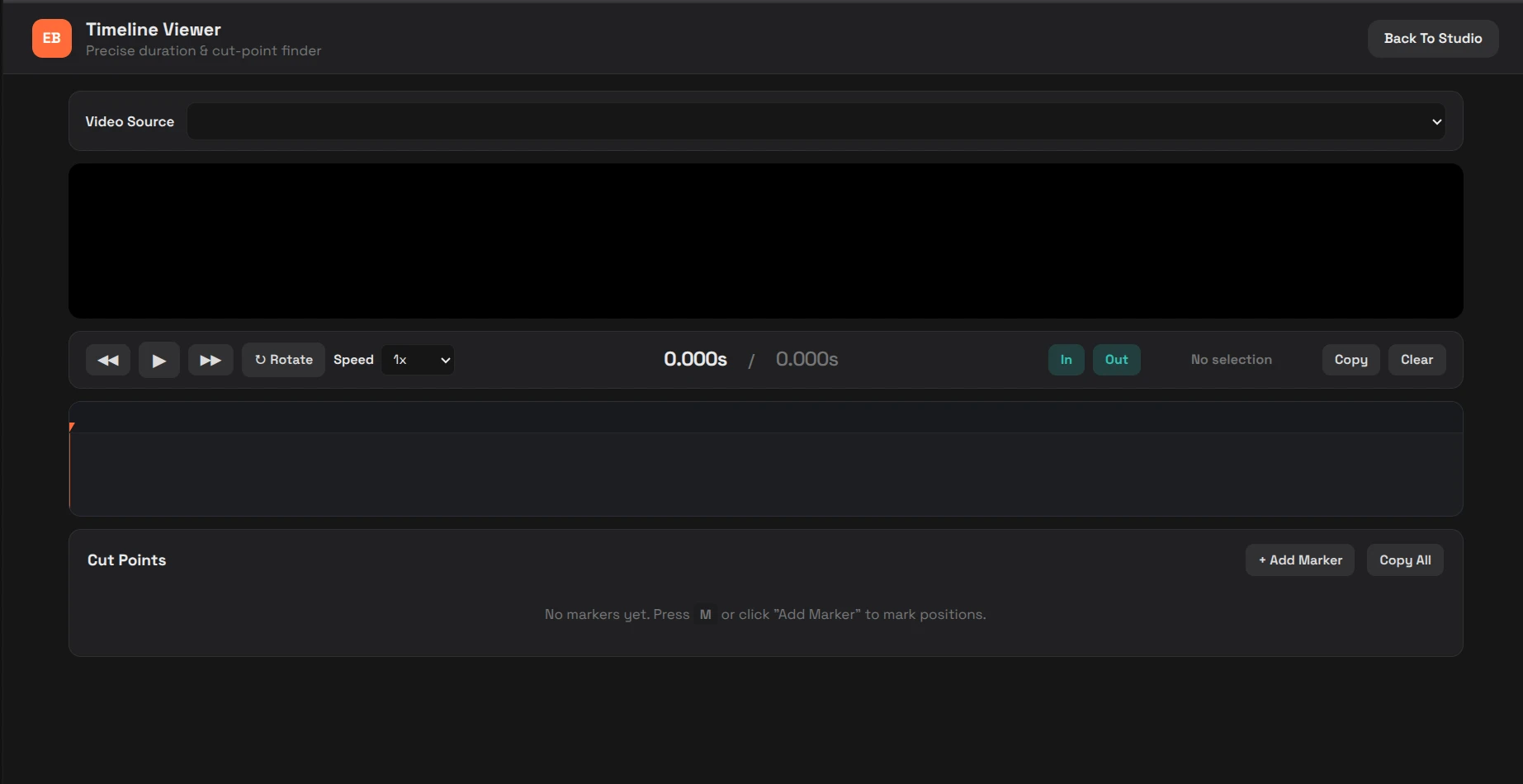
I express manual cuts against the source clip. A regression fixture uses twenty seconds of footage and requests three cuts out of order. The cutter merges the ranges, walks the original timeline once and hands the renderer the gaps between them.
For cuts at 2–4, 8–10 and 12–14 seconds, those gaps are 0–2, 4–8, 10–12 and 14–20. That gives me fourteen seconds of footage. Subtracting each range from an already shortened file would move the meaning of the later timestamps.
- Manual mode starts with explicit ranges. Automatic mode detects quiet spans using a decibel threshold and minimum duration.
- The automatic path can include filler candidates. Both paths produce cut and keep intervals.
- The saved cut list gives me something to compare with the timeline preview.
The expected timeline
This assertion checks the source coordinates as well as the duration of each surviving piece.
def test_keep_segments_are_computed_from_original_timeline():
    duration = 20.0
    manual_cuts = [
        {"start": 8.0, "end": 10.0, "type": "manual"},
        {"start": 2.0, "end": 4.0, "type": "manual"},
        {"start": 12.0, "end": 14.0, "type": "manual"},
    ]
    cut_segments = _merge_segments(manual_cuts)
    keep_segments = _build_keep_segments(duration, cut_segments)

    assert keep_segments == [
        {"start": 0.0, "end": 2.0, "duration": 2.0},
        {"start": 4.0, "end": 8.0, "duration": 4.0},
        {"start": 10.0, "end": 12.0, "duration": 2.0},
        {"start": 14.0, "end": 20.0, "duration": 6.0},
    ]
Read the source · Silence removal and manual cut intervals
Stock footage and the order of operations
“Insert this clip, then cut the pause” can produce a different video from “cut the pause, then insert this clip.” I keep that order explicit in the editing pipeline. For a combined stock-and-cut request, the ordering helper compares the first matching keyword for each operation. If neither has a position, stock comes first by default.
The web handler also excludes the active source video when it looks up uploaded stock. That small check matters when both files are in the same workspace. A reference to the clip I want to insert should resolve to a different asset from the timeline I am editing.
Getting the words back onto the video clock
I extract an audio track with FFmpeg and pass it to the transcription adapter. The class is named WhisperXTool, but the implementation uses faster-whisper. I use its word boundaries for highlighting and its segments for subtitle export.
The caption path can slow the audio before recognition. A word heard two seconds into a half-speed recording belongs one second into the original. I apply the speed factor to both ends of each word and segment, including words nested inside segments.
Scaling the word boundaries
The first part of scale_transcription_timestamps brings top-level word times back to the source clock.
def scale_transcription_timestamps(transcription: Dict[str, Any], factor: float) -> Dict[str, Any]:
    if not transcription or factor == 1.0:
        return transcription
    words = transcription.get("words", [])
    for word in words:
        word["start"] = _scale_timestamp(word.get("start", 0.0), factor)
word["end"] = _scale_timestamp(word.get("end", 0.0), factor)Turning timestamps into something I can watch
A downloadable subtitle file and a burned-in highlight need different output. For an SRT or WebVTT export, the web route groups the timed entries and writes the requested format. For styled video, the caption tool emits ASS subtitle events for FFmpeg.
- The base subtitle style carries the font, outline and placement.
- When highlighting is enabled, extra events style the current word and optionally words already spoken.
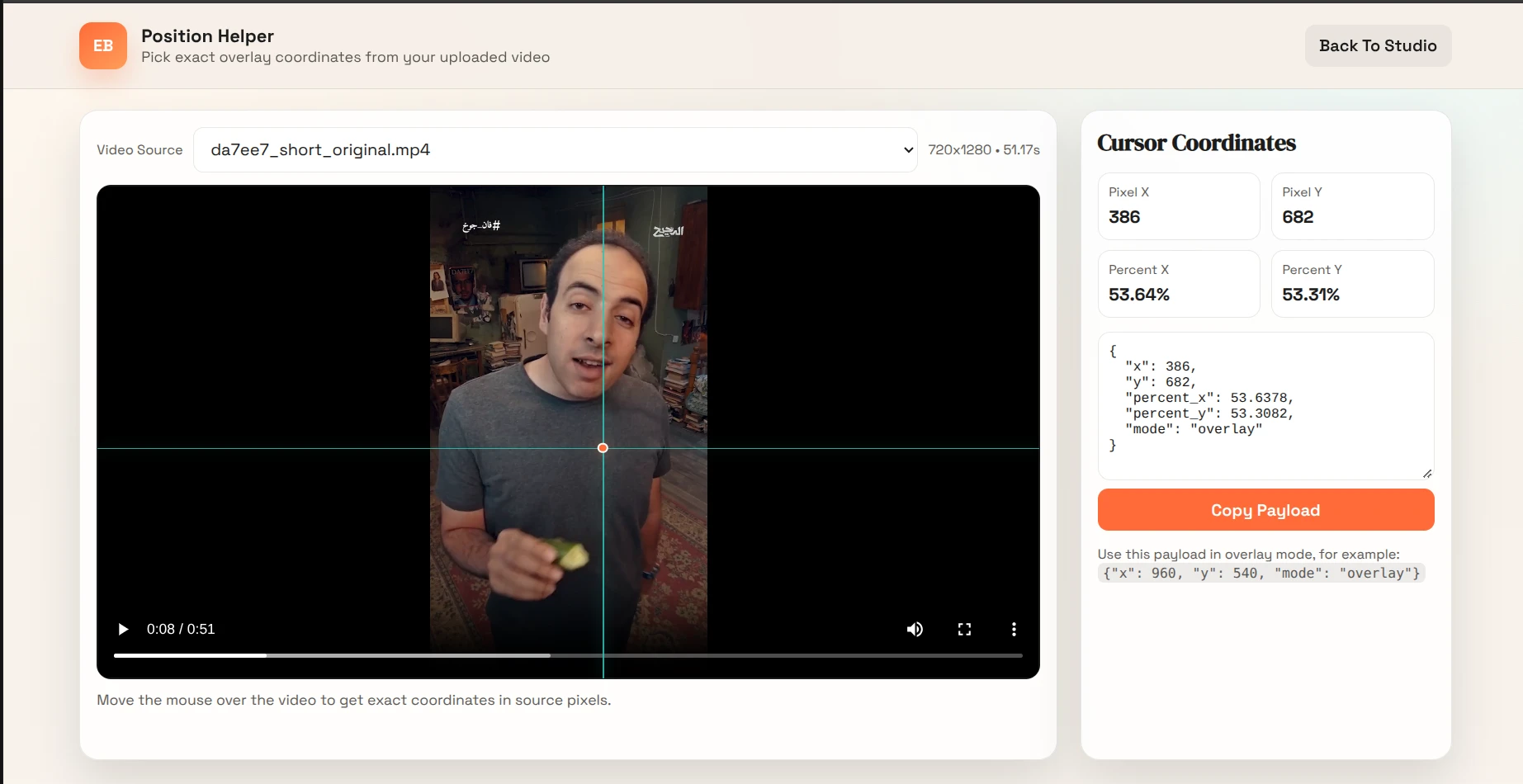
- The position helper lets me pick a spot on the frame and read its horizontal and vertical percentages.
Read the source · Caption generation and highlighting
Where I keep context and where rendering runs
For questions about Gennio itself, I index project text and a generated knowledge pack in a persistent Chroma collection. Fingerprints identify changed sources. The index excludes the uploads directory, so adding footage does not turn it into reference text.
The web server moves the blocking media operation into a thread using asyncio.to_thread. I can inspect the resulting video, transcript or subtitle file in the workspace. The thread boundary keeps the async handler responsive, while local CPU, model and FFmpeg availability still determine how long the render takes.
Read the source · FastAPI routes, streaming and session state
Scope & practical notes
- The editing path depends on local media tools and the configured model.